Verify the entity before relying on the record
Start from the Odoo company contact and review Australian Business Register evidence using supported ABN, ACN, company and location information.
Australian Business Lookup
Before a company name, ABN or business detail reaches a quotation, purchase order, invoice, contract or onboarding document, check that the Odoo record represents the right Australian entity.
Review ABR evidence, resolve ambiguous matches and apply supported updates without repeatedly leaving the contact workflow.
Price: $ 138.99
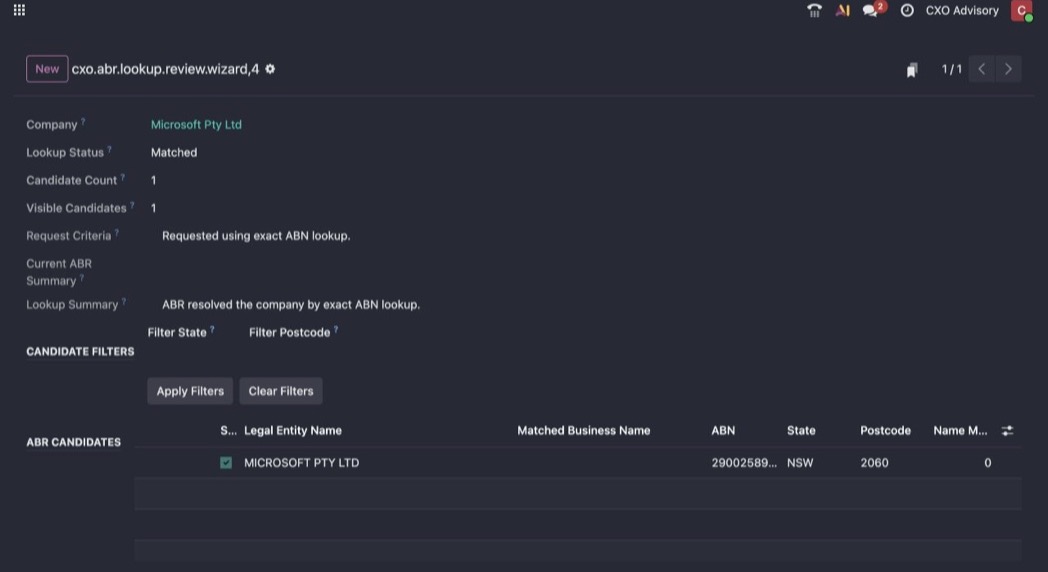
Start from the Odoo company contact and review Australian Business Register evidence using supported ABN, ACN, company and location information.
Inspect uncertain candidates and choose the intended Australian entity instead of blindly accepting a fuzzy result.
Apply supported ABR updates conservatively while preserving existing non-ABN Tax IDs and existing native location values.
Queue selected Australian company contacts, follow each outcome and send ambiguous or failed records to human review.
Enrichment can make a contact richer, but that is different from checking that the record represents the right Australian entity.
Manual verification meant leaving Odoo, searching externally, comparing similarly named businesses, checking identifiers and location information, then returning to update the record.
Australian Business Lookup keeps that verification workflow with the Odoo contact and keeps uncertain matches subject to human review.
Each customer supplies its own ABR Web Services credential. Lookup requests travel directly from the customer's Odoo server to ABR Web Services. CXO Advisory does not receive the lookup data.
Leave Odoo, search an external service, compare similarly named businesses, find the identifier, return to Odoo and update the record manually.
Start from the customer or supplier, review ABR evidence in context and apply only the supported changes you choose to accept.
Genuine Odoo interface captures. Select an image to inspect it at full size.
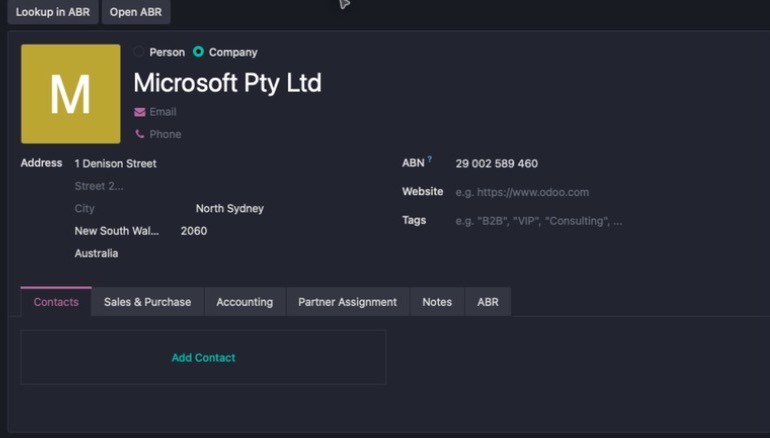
The ABR lookup actions sit alongside the public Australian business details.
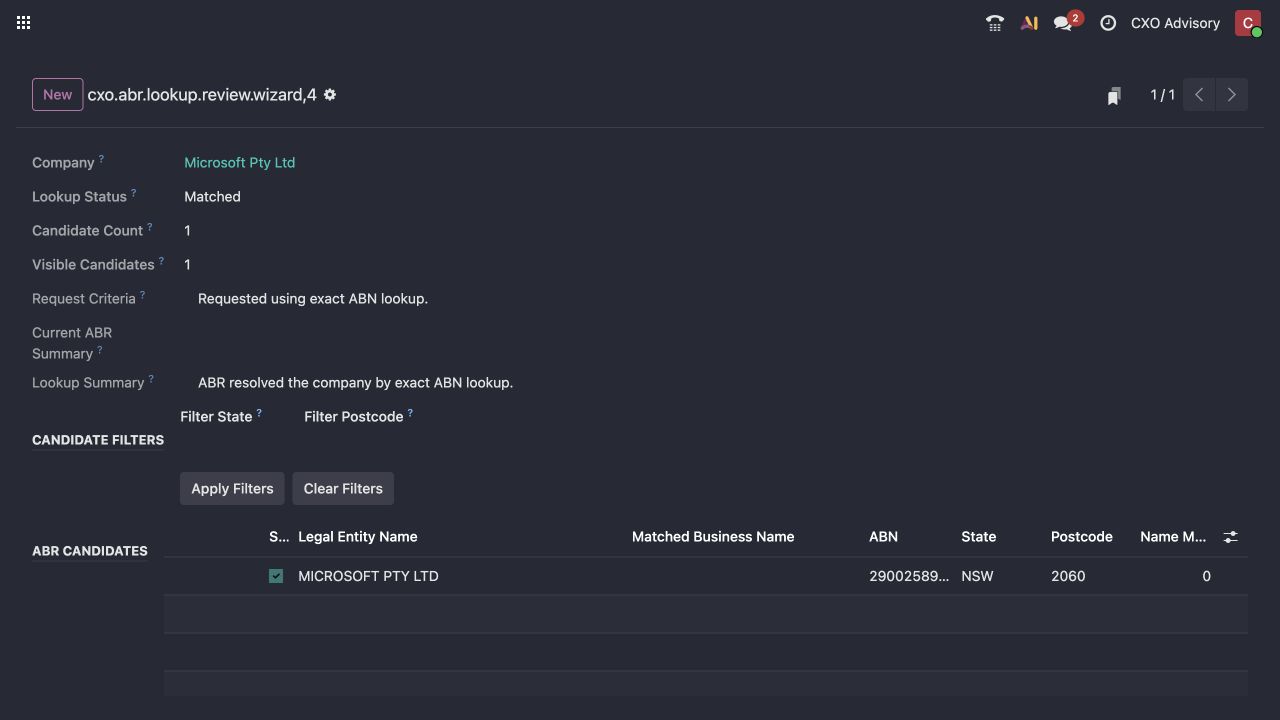
Inspect the candidate and ABR evidence before applying supported changes. This capture shows review, not an applied update.
Each customer supplies its own ABR Web Services credential. Lookup requests travel directly from the customer’s Odoo server to ABR Web Services. CXO Advisory does not receive the lookup data.
cxo_abr_abn_lookupOdoo 19 Enterprise. Supported on Odoo.sh and self-hosted or on-premise Odoo where custom modules can be installed. Odoo Online does not support installation of this third-party module.
Each customer supplies its own ABR Web Services GUID. Lookup requests travel directly from the customer's Odoo server to ABR Web Services. CXO Advisory does not receive the lookup data.
OPL-1. One perpetual licence covers one production Odoo database, unlimited users and companies in that database, and its related development, staging, test and backup clones.
The paid licence includes investigation and correction of reproducible defects and maintenance releases for the supported current Odoo major version, Odoo 19. ABR registration, installation, configuration, customisation, workflow changes, third-party problems and consulting may fall outside included product support.
Check the Australian entity before its details reach something important.