Find colleagues first
Active internal users are the normal starting point instead of being mixed into a much larger external contact population.
Odoo Follower Guard
As your Odoo contact database grows, internal colleagues can be buried among customers, suppliers, portal users and other external contacts.
Odoo Follower Guard puts active internal users first and makes external followers a deliberate choice.
It is free for Odoo 19 Community and Enterprise and preserves standard Odoo follower and notification behaviour after selection.
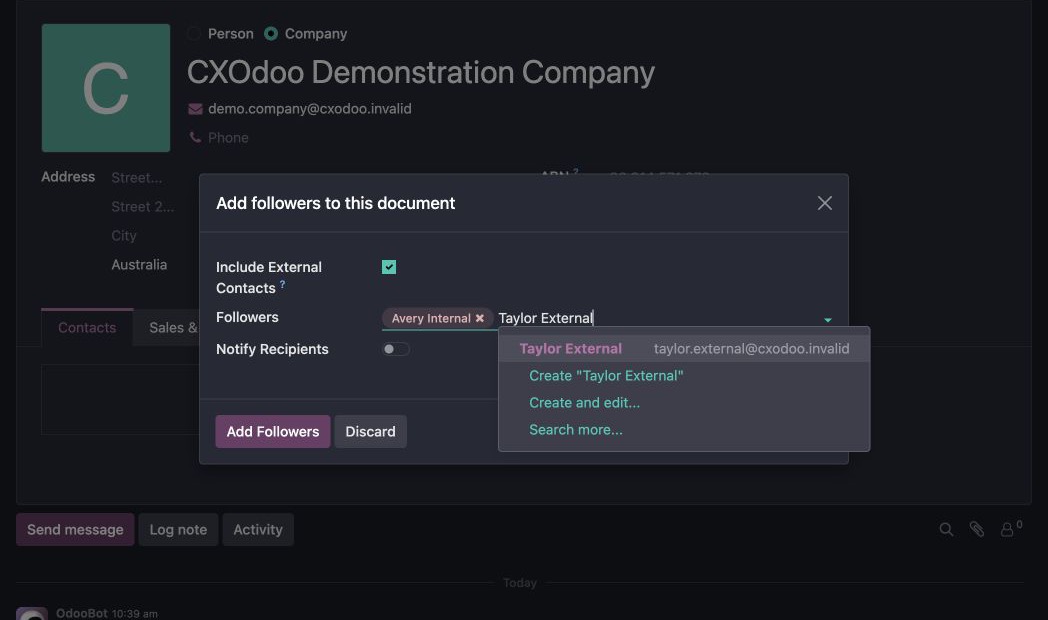
Active internal users are the normal starting point instead of being mixed into a much larger external contact population.
External contacts are not suggested by default, helping reduce the chance that the wrong person is added by mistake.
When an external contact genuinely needs to follow a record, deliberately include external contacts and continue with the normal Odoo workflow.
Follower, subtype, notification and removal behaviour remains standard after a person is selected.
As customers, suppliers and other external contacts accumulated, finding an internal colleague became progressively harder.
More importantly, it became surprisingly easy to select an external contact when we meant to add a member of staff.
Odoo Follower Guard makes the common internal workflow faster and makes external inclusion an intentional decision rather than an easy mistake.
It reduces selection risk. It does not guarantee confidentiality or replace normal Odoo notification behaviour.
Genuine Odoo interface captures. Select an image to inspect it at full size.
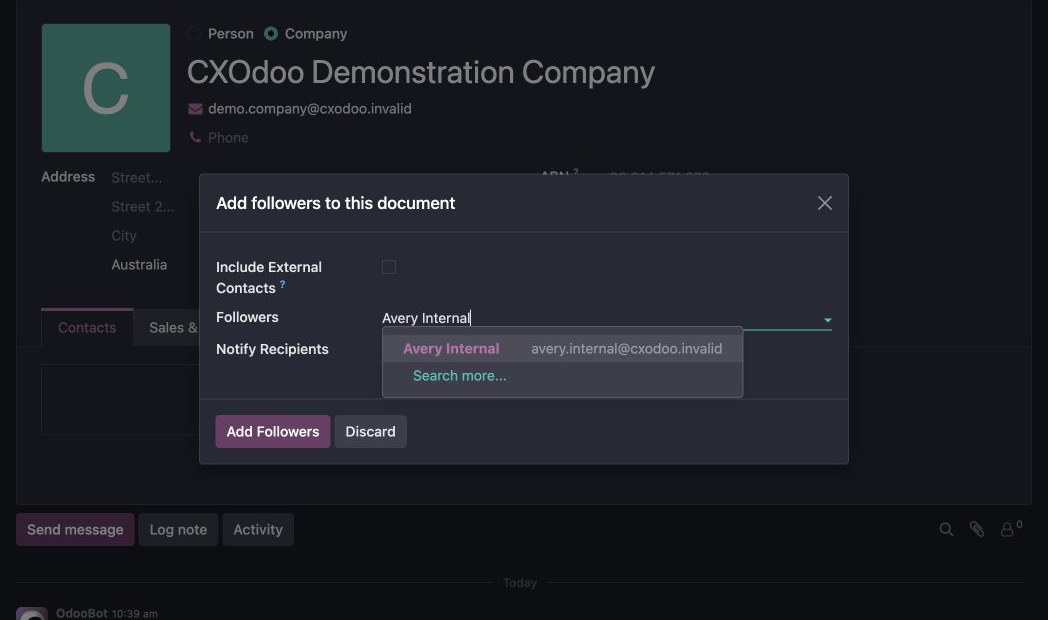
The default selection searches active internal users.
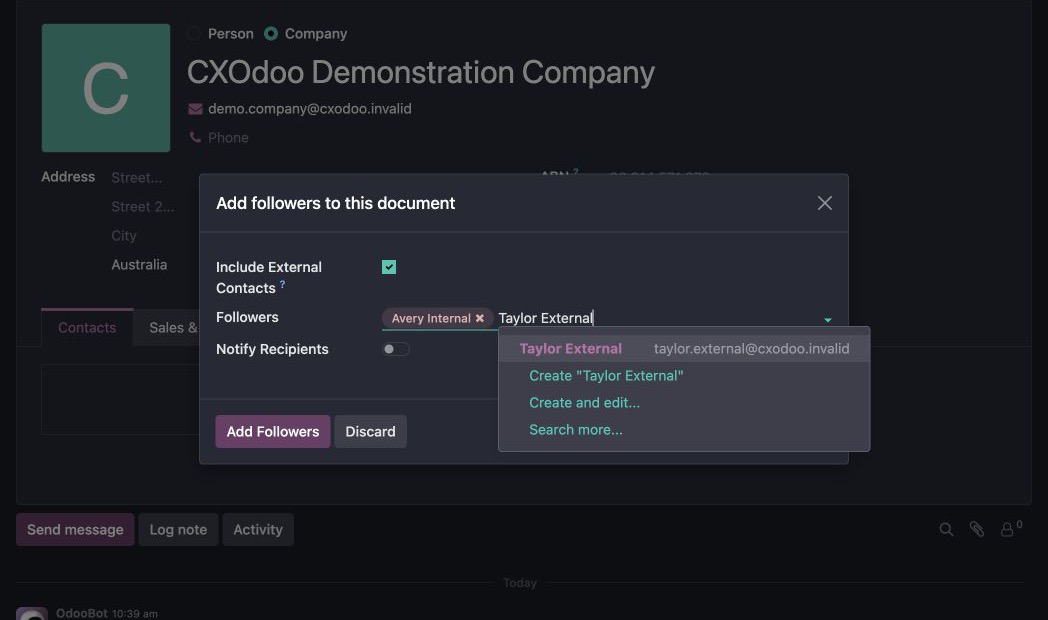
Explicitly enable external contacts when you need to include them.
It reduces selection risk rather than guaranteeing confidentiality.
It does not rewrite existing followers.
It does not replace standard Odoo notification behaviour.
cxo_mail_follower_controlsOdoo 19 Community and Enterprise. Supported on Odoo.sh and self-hosted or on-premise Odoo where custom modules can be installed. Odoo Online does not support installation of this third-party module.
It reduces selection risk rather than guaranteeing confidentiality, does not rewrite existing followers and does not replace standard Odoo notification behaviour.
GNU Lesser General Public License v3.0 (LGPL-3).
This free LGPL-3 module is supplied without a paid support commitment. Product support and feature suggestions can be submitted through the CXOdoo Support workflow.
Find your colleagues first and include external contacts when you actually need them.